欢迎阅读Zed 解密系列的第一篇文章。在 Zed 解密中,我将深入探讨 Zed——它的构建方式、使用的数据结构、技术和技巧、功能特性以及我们遇到的错误。最棒的是?我不会独自完成,我会采访 Zed 的同事,询问我想知道的一切。
伴随视频
异步 Rust
这篇博文附带一个1小时的配套视频,其中 Thorsten 和 Antonio 探讨了 Zed 如何在 Zed 中使用异步 Rust。这是一次轻松的对话,侧重于代码,并深入探讨了帖子中没有涉及的一些主题。
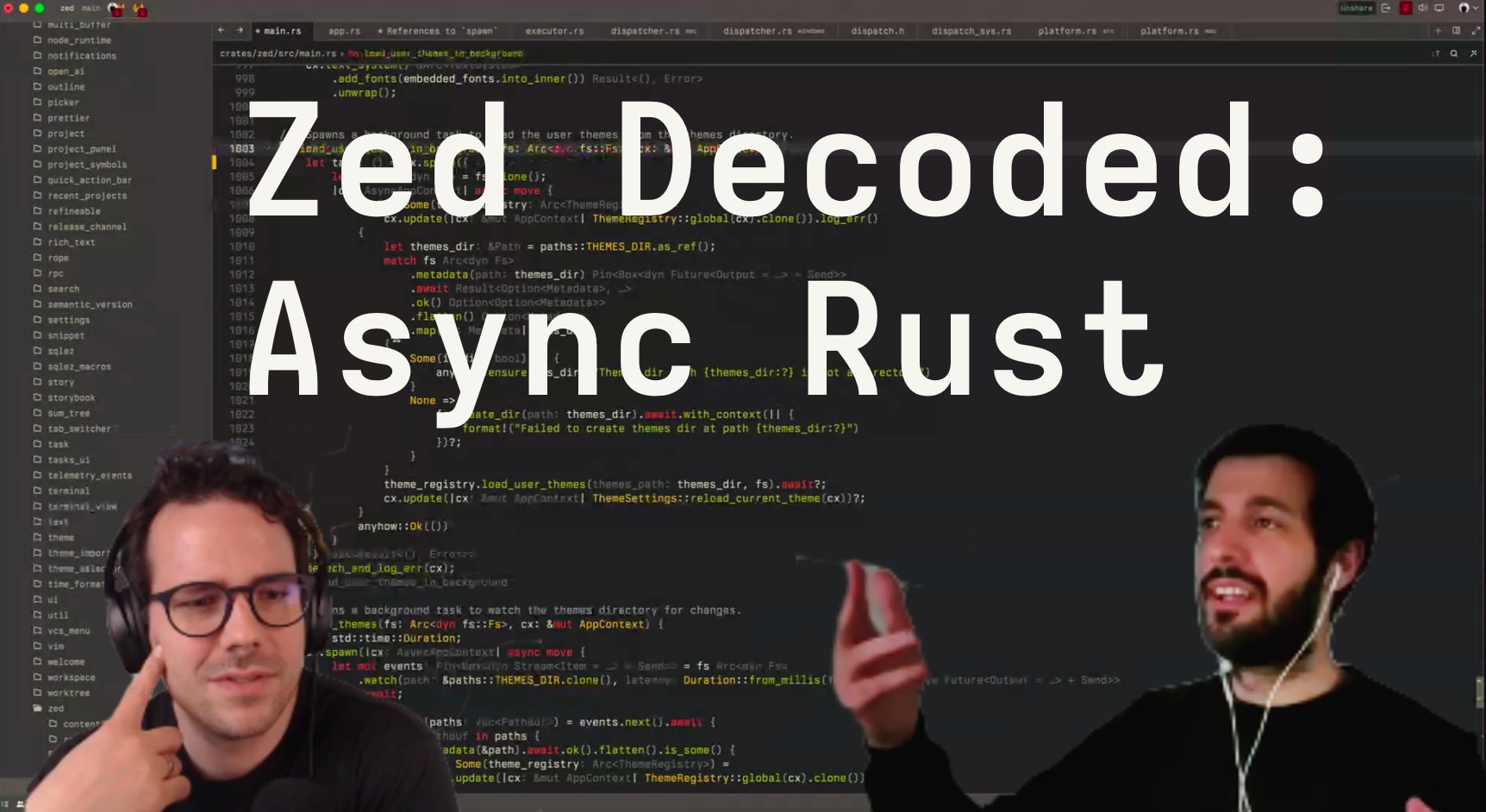
我清单上的第一个主题是:异步 Rust 及其在 Zed 中的使用。在过去的几个月里,我对异步 Rust 非常着迷——Zed 是我工作过的第一个使用它的代码库——所以我决定坐下来询问 Zed 的联合创始人之一 Antonio,我们如何在 Zed 中使用异步 Rust。
我们不会深入探讨异步 Rust 本身(如果你想理解我们将看到的代码的细节,则需要熟悉它),而是专注于 Zed 如何使用异步 Rust 来构建一个高性能的本地应用程序:异步代码在应用程序级别是什么样子,它使用哪个运行时,以及为什么使用那个运行时。
使用 GPUI 编写异步 Rust
让我们直接深入探讨。这是一个代表 Zed 代码库中异步代码的代码片段
fn show_cursor_names(&mut self, cx: &mut ViewContext<Self>) {
    self.show_cursor_names = true;
    cx.notify();
    cx.spawn(|this, mut cx| async move {
        cx.background_executor().timer(CURSORS_VISIBLE_FOR).await;
        this.update(&mut cx, |this, cx| {
            this.show_cursor_names = false;
            cx.notify()
        })
        .ok()
    })
    .detach();
}这是我们 Editor 中的一个函数。当它被调用时,Zed 会显示每个光标的拥有者姓名:你的名字或与你协作的人的名字。例如,当编辑器重新获得焦点时会调用它,这样你就可以快速看到谁在做什么,在哪里。
show_cursor_names 的作用如下:
- 打开
Editor.show_cursor_names并触发编辑器的重新渲染。当Editor.show_cursor_names为 true 时,将渲染光标名称。 - 生成一个任务,休眠
CURSOR_VISIBLE_FOR,然后关闭光标,并触发另一次重新渲染。
如果你以前写过异步 Rust,你会在代码中发现一些熟悉的元素:有 .spawn,有 async move,有 await。如果你以前使用过 async_task crate,这可能会让你想起这样的代码
let ex = Executor::new();
ex.spawn(async {
    loop {
        Timer::after(Duration::from_secs(1)).await;
    }
})
.detach();
那是因为 Zed 使用 async_task 作为其 Task 类型。但在这个例子中有一个 Executor——它在 Zed 代码中在哪里?cx.background_executor() 又有什么作用?好问题,让我们寻找答案。
macOS 作为我们的异步运行时
异步 Rust 的一个显著特点是允许你选择自己的运行时。这与许多其他语言(例如 JavaScript)不同,在这些语言中你也可以编写异步代码。运行时这个术语没有非常精确的定义,但为了我们的目的,我们可以说运行时是运行你的异步代码并为你提供诸如 .spawn 和类似 Executor 的实用程序的实体。
这些运行时中最受欢迎的可能是 tokio。但也有 smol、embassy 和其他。选择和切换运行时伴随着权衡,它们只能在一定程度上互换,但这是可能的。
事实证明,在 Zed 的 macOS 版本中,我们没有使用这些运行时中的任何一个。我们也没有使用 async_task 的 Executor。但是总要有东西来执行异步代码吧?否则我就无法在 Zed 中输入这些行。
那么 cx.spawn 到底做了什么,cx.background_executor() 又是什么呢?让我们来看看。这里是GPUI 的 AppContext 中的三个相关方法
// crates/gpui/src/app.rs

impl AppContext {
    pub fn background_executor(&self) -> &BackgroundExecutor {
        &self.background_executor
    }

    pub fn foreground_executor(&self) -> &ForegroundExecutor {
        &self.foreground_executor
    }

    /// Spawns the future returned by the given function on the thread pool. The closure will be invoked
    /// with [AsyncAppContext], which allows the application state to be accessed across await points.
    pub fn spawn<Fut, R>(&self, f: impl FnOnce(AsyncAppContext) -> Fut) -> Task<R>
    where
        Fut: Future<Output = R> + 'static,
        R: 'static,
    {
        self.foreground_executor.spawn(f(self.to_async()))
    }

    // [...]
}好的,两个执行器,foreground_executor 和 background_executor,它们都有 .spawn 方法。我们已经在 show_cursor_names 中看到了 background_executor 的 .spawn,在这里,在 AppContext.spawn 中,我们看到了 foreground_executor 的对应部分。
再深入一层,我们可以看到 foreground_executor.spawn 的作用
// crates/gpui/src/executor.rs

impl ForegroundExecutor {
    /// Enqueues the given Task to run on the main thread at some point in the future.
    pub fn spawn<R>(&self, future: impl Future<Output = R> + 'static) -> Task<R>
    where
        R: 'static,
    {
        let dispatcher = self.dispatcher.clone();
        fn inner<R: 'static>(
            dispatcher: Arc<dyn PlatformDispatcher>,
            future: AnyLocalFuture<R>,
        ) -> Task<R> {
            let (runnable, task) = async_task::spawn_local(future, move |runnable| {
                dispatcher.dispatch_on_main_thread(runnable)
            });
            runnable.schedule();
            Task::Spawned(task)
        }
        inner::<R>(dispatcher, Box::pin(future))
    }

    // [...]
}这里有很多东西,很多语法,但发生的事情可以归结为:.spawn 方法接受一个 future,将其转换为一个 Runnable 和一个 Task,然后要求 dispatcher 在主线程上运行它。
这里的 dispatcher 是一个 PlatformDispatcher。它等同于上面 async_task 的 Executor。它的名字中带有 Platform,因为它对 macOS、Linux 和 Windows 有不同的实现。但在这篇文章中,我们只关注 macOS,因为它是我们目前支持最好的平台,而 Linux/Windows 的实现仍在进行中。
那么 dispatch_on_main_thread 做了什么呢?现在它会调用异步运行时吗?不,那里也没有运行时
// crates/gpui/src/platform/mac/dispatcher.rs

impl PlatformDispatcher for MacDispatcher {
    fn dispatch_on_main_thread(&self, runnable: Runnable) {
        unsafe {
            dispatch_async_f(
                dispatch_get_main_queue(),
                runnable.into_raw().as_ptr() as *mut c_void,
                Some(trampoline),
            );
        }
    }
    // [...]
}

extern "C" fn trampoline(runnable: *mut c_void) {
    let task = unsafe { Runnable::<()>::from_raw(NonNull::new_unchecked(runnable as *mut ())) };
    task.run();
}
dispatch_async_f 是调用离开 Zed 代码库的地方,因为 dispatch_async_f 实际上是编译时生成的绑定,指向 dispatch_async_f 函数在 macOS 的 Grand Central Dispatch (GCD) 中。dispatch_get_main_queue() 也是这样的绑定。
没错:Zed,作为一个 macOS 应用程序,使用 macOS 的 GCD 来调度和执行工作。
上面代码片段中发生的情况是,Zed 将 Runnable(可以将其视为 Task 的句柄)转换为原始指针,并将其与 trampoline 一起传递给 dispatch_async_f,后者将其放入其 main_queue。
当 GCD 决定运行 main_queue 中的下一个项目时,它会将其从队列中取出,并调用 trampoline,后者获取原始指针,将其转换回 Runnable,并调用 .run() 以轮询其 Task 背后的 Future。
而且,令我大吃一惊的是:就是这样。这就是将 GCD 用作异步 Rust “运行时”所需的所有代码。其他应用程序使用 tokio 或 smol 的地方,Zed 使用 GCD 和诸如 async_task 之类的 crate 的薄封装。
等等,BackgroundExecutor 又怎么说呢?它与 ForegroundExecutor 非常非常相似,主要区别在于 BackgroundExecutor 调用了 PlatformDispatcher 上的这个方法
impl PlatformDispatcher for MacDispatcher {
    fn dispatch(&self, runnable: Runnable, _: Option<TaskLabel>) {
        unsafe {
            dispatch_async_f(
                dispatch_get_global_queue(DISPATCH_QUEUE_PRIORITY_HIGH.try_into().unwrap(), 0),
                runnable.into_raw().as_ptr() as *mut c_void,
                Some(trampoline),
            );
        }
    }
}
这个 dispatch 方法与上面 dispatch_async_f 唯一的区别在于队列。BackgroundExecutor 不使用 main_queue,而是使用一个全局队列。
就像我第一次阅读这段代码时一样,你现在可能会想:为什么?
为什么要使用 GCD?为什么要有 ForegroundExecutor 和 BackgroundExecutor?main_queue 有什么特别之处?
绝不阻塞主线程
在本地 UI 应用程序中,主线程非常重要。不,主线程是神圣的。主线程是渲染发生的地方,用户输入被处理的地方,操作系统与应用程序通信的地方。主线程绝不应该阻塞。在主线程上,你的应用程序的响应能力要么生,要么死。
对于 macOS 上的 Cocoa 应用程序也是如此。渲染、接收用户输入、与 macOS 通信以及其他平台相关的问题都必须在主线程上发生。由于 Zed 希望与 macOS 完美协作以确保高性能和响应性,它做了两件事。
首先,它使用 GCD 来调度其工作——无论是在主线程上还是离开主线程——这样 macOS 就能保持高响应性和整体系统效率。
其次,主线程的重要性被融入到 UI 框架 GPUI 中,通过明确区分我们上面看到的 ForegroundExecutor 和 BackgroundExecutor。
作为应用程序级 Zed 代码的编写者,你应始终注意主线程上发生的事情,绝不要将过多的阻塞工作放在上面。如果你在主线程上放置一个阻塞的 sleep(10ms),那么渲染 UI 现在就必须等待那个 sleep() 完成,这意味着渲染下一帧将需要超过 8 毫秒——如果你想实现 120 FPS,这是最大帧时间。你就会“掉帧”,正如他们所说。
知道了这些,我们来看另一个小代码片段。这次它来自 Zed 内置的终端,一个搜索终端缓冲区内容的函数
// crates/terminal/src/terminal.rs

pub struct Terminal {
    term: Arc<Mutex<alacritty_terminal::Term<ZedListener>>>,

    // [... other fields ...]
}

pub fn find_matches(
    &mut self,
    mut searcher: RegexSearch,
    cx: &mut ModelContext<Self>,
) -> Task<Vec<RangeInclusive<AlacPoint>>> {
    let term = self.term.clone();
    cx.background_executor().spawn(async move {
        let term = term.lock();

        all_search_matches(&term, &mut searcher).collect()
    })
}
find_matches 的第一行,self.term.clone(),发生在主线程上,并且速度很快:self.term 是一个 Arc<Mutex<...>>,所以克隆只增加了 Arc 的引用计数。然后,对 .lock() 的调用只在后台发生,因为 .lock() 可能会阻塞。在这个特定的代码路径中不太可能发生锁争用,但如果发生了争用,它不会冻结 UI,只会冻结单个后台线程。这就是模式:如果速度快,可以在主线程上执行,但如果可能需要一段时间甚至阻塞,就通过使用 cx.background_executor() 将其放在后台线程上。
这是另一个例子,Zed 中的项目范围搜索(⌘-shift-f)。它将尽可能多的繁重工作推送到后台线程,以确保 Zed 在搜索项目中的数万个文件时保持响应。以下是 Project.search_local 的简化且注释丰富的摘录,展示了搜索的主要部分
// crates/project/src/project.rs

// Spawn a Task on the background executor. The Task finds all files on disk
// that contain >1 matches for the given `query` and sends them back over
// the `matching_paths_tx` channel.
let (matching_paths_tx, matching_paths_rx) = smol::channel::bounded(1024);
cx.background_executor()
    .spawn(Self::background_search(
        // [... other arguments ... ]
        query.clone(),
        matching_paths_tx,
    ))
    .detach();

// Setup a channel on which we stream results to the UI.
let (result_tx, result_rx) = smol::channel::bounded(1024);

// On the main thread, spawn a Task that first...
cx.spawn(|this, mut cx| async move {
    // ... waits for the background thread to return the filepaths of
    // the maximum number of files that we want to search...
    let mut matching_paths = matching_paths_rx
        .take(MAX_SEARCH_RESULT_FILES + 1)
        .collect::<Vec<_>>()
        .await;

    // ... then loops over the filepaths in chunks of 64...
    for matching_paths_chunk in matching_paths.chunks(64) {
        let mut chunk_results = Vec::new();

        for matching_path in matching_paths_chunk {
            // .... opens each file....
            let buffer = this.update(&mut cx, |this, cx| {
                this.open_buffer((*worktree_id, path.clone()), cx)
            })?;

            // ... and pushes into `chunk_results` a Task that
            // runs on the main thread and ...
            chunk_results.push(cx.spawn(|cx| async move {
                // ... waits for the file to be opened ...
                let buffer = buffer.await?;
                // ... creates a snapshot of its contents ...
                let snapshot = buffer.read_with(&cx, |buffer, _| buffer.snapshot())?;
                // ... and again starts a Task on the background executor,
                // which searches through the snapshot for all results.
                let ranges = cx
                    .background_executor()
                    .spawn(async move {
                        query
                            .search(&snapshot, None)
                            .await
                            .iter()
                            .collect::<Vec<_>>()
                    })
                    .await;

                Ok((buffer, ranges))
            }));
        }

        // On the main thread, non-blocking, wait for all buffers to be searched...
        let chunk_results = futures::future::join_all(chunk_results).await;
        for result in chunk_results {
            if let Some((buffer, ranges)) = result.log_err() {
                // send the results over the results channel
                result_tx
                    .send(SearchResult::Buffer { buffer, ranges })
                    .await?;
            }
        }
    }
})
.detach();

result_rx
代码很多——抱歉!——但除了我们已经讨论过的概念之外,没有太多其他内容。这里值得注意以及我为什么要展示它的是主线程和后台线程之间的乒乓交互
- 主线程:启动搜索并将
query交给后台线程 - 后台线程:在项目中查找
query出现次数 > 1 的文件,并随之将结果通过通道发送回去 - 主线程:等待后台线程找到
MAX+1个结果,然后关闭通道,导致后台线程退出 - 主线程:生成多个其他主线程任务来打开每个文件并创建快照。
- 后台线程:在缓冲区快照中搜索所有结果,并通过通道将结果发送回去
- 主线程:等待后台线程在所有缓冲区中找到结果,然后将它们发送回外部
search_local方法的调用者
尽管这个方法可以优化,搜索速度可以大大加快(我们还没来得及做),但它已经可以在不阻塞主线程的情况下搜索数千个文件,同时仍然使用多个 CPU 核心。
异步友好的数据结构、测试执行器等
我很确定之前的代码片段引发了很多我尚未回答的问题:究竟如何才能将缓冲区快照发送到后台线程?这样做效率如何?如果我想在另一个线程上修改这样的快照怎么办?如何测试所有这些?
我很抱歉地说,我无法将所有答案都包含在这篇文章中。但是有一个配套视频,其中 Antonio 和我深入探讨了许多这些领域,并讨论了异步友好的数据结构、写时复制缓冲区快照等。Antonio 还就我们如何在 Zed 代码库中进行异步 Rust 代码的属性测试做了一次精彩的演讲,我强烈推荐。我还保证将来会有一篇关于 Zed 编辑器底层数据结构的帖子。
下次再见!